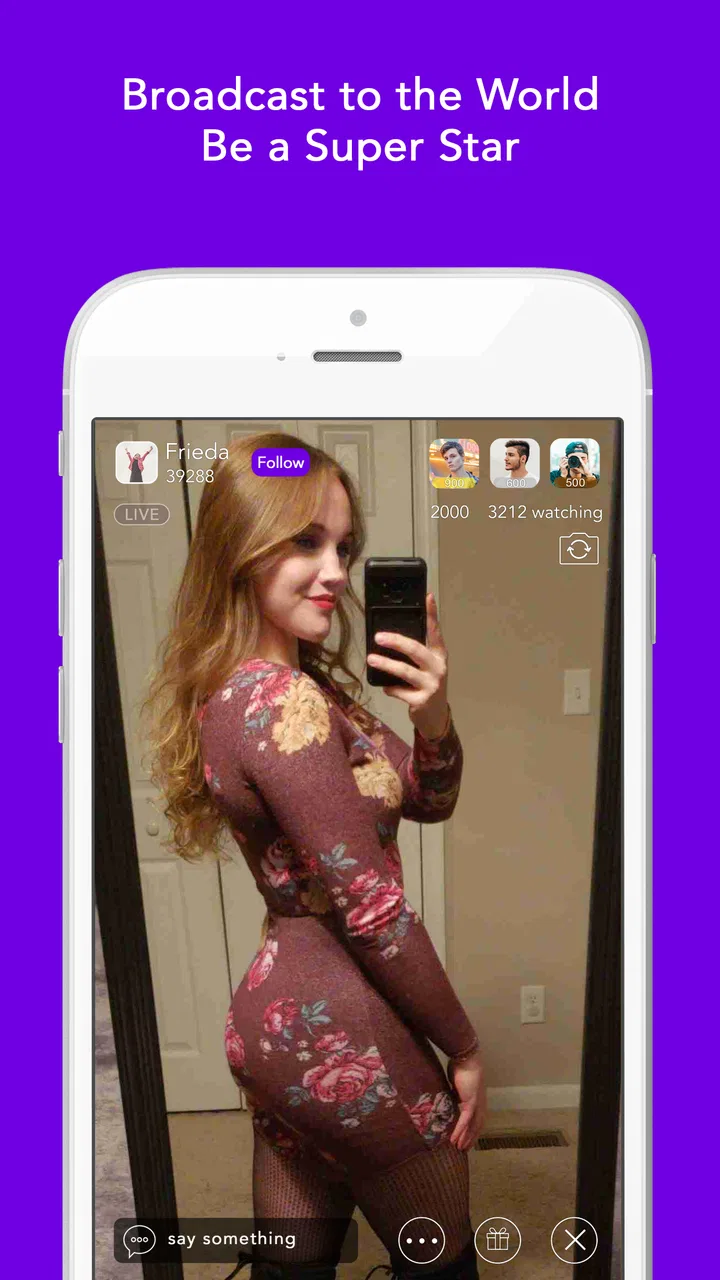
Coco - Live Video Chat HD
- 3.0
- Rating
- 5.00M
- Installs
- Free
- Price

 Analysis by App-foxy
I approached Coco - Live Video Chat HD as a communication app rather than just another place to browse profiles. Its main appeal is the possibility of moving quickly from meeting someone to chatting and then into a live video conversation. That makes it more immediate than a conventional text-first messenger, although it also means the experience depends heavily on your comfort with strangers, your privacy habits, and how carefully you manage each interaction.
After spending time with it, my honest view is that Coco is best understood as a casual social discovery tool. It can be enjoyable when you want spontaneous conversation and do not mind a less predictable atmosphere. It is not the app I would choose for dependable contact with family, work colleagues, or a small group of people I already know. Those jobs are handled better by familiar messaging and video-call services built around contacts, invitations, and stable conversations.
The app comes from iHello Inc. and sits in the Communication category. It is free to install, with optional purchases ranging from $0.99 to $99.99 per item. Its Mature 17+ rating is important context, not a minor label: anyone considering it should treat live interaction with unknown people as an adult social environment and use sensible boundaries from the first screen.
You May Also Like

 Blood Strike: 2.5 Anniversary
Blood Strike’s Loadouts Turn Every Drop Into a Tactical Gamble
A close look at Blood Strike’s custom loadouts: how fast access to signature weapons reshapes its battle royale rhythm, rewards preparation, and narrows the gap between fights.

 Pandora - Music & Podcasts
Pandora’s Music Is Easy to Start, but Harder to Recover
Pandora’s strength is its low-effort path from a seed to a station. Its weak spot is how much confidence it asks you to place in connection, setup, and quiet recovery.

 8 Ball Pool
 Is Built on Rivalries, Rematches, and Routine
A close look at the rivalries, rematches, shared routines, and unanswered safety questions that turn a quick pool match into a persistent mobile community.

 Samsung Music
’s Quiet Strength Is Playing What You Already Own
Its reach comes less from spectacle than from dependable access to a personal library. That simplicity is both the app’s strongest retention engine and its ceiling.

 AccuWeather: Weather Radar
AccuWeather Review: A Quick, Clear Forecast for Everyday Decisions
For everyday plans, the best forecast is the one you can understand quickly. AccuWeather makes rain timing, radar, and local conditions easy to act on, with a few trade-offs.

 Hill Climb Racing
Why Hill Climb Racing Still Turns Crashes Into One More Run
A tiny car, a bumpy hill and one more upgrade: Hill Climb Racing keeps resurfacing because its simple chaos makes every near-miss feel personal.
More From Our News Desk



How the everyday Coco workflow feels
I use this section to focus on the small decisions that shape a typical session: whether to start with browsing or a message, when a conversation feels ready for video, and how to leave without turning a casual exchange into an obligation. Those choices matter more than speed alone, so I’ll next look at the repeatable habits that make them easier.
Starting with a clear purpose
The smoothest way to use Coco is to decide what you want before opening it. If I enter expecting a quick conversation, I judge the app by how easily I can move through discovery, chat, and live interaction. If I enter hoping to build a long-term friendship, I need more patience because spontaneous video platforms can produce very different results from one session to the next.
I recommend beginning with a short session rather than leaving the app open indefinitely. That simple habit keeps browsing from becoming aimless and makes it easier to notice whether conversations are genuinely interesting. I also avoid treating a profile or a friendly opening message as proof of trust. In a live social app, the first impression is only the start of the decision-making process.
The basic rhythm is straightforward: look around, choose whether a conversation feels worth starting, exchange a few messages, and decide whether video adds anything. I prefer to keep the first chat light and non-sensitive. Questions about hobbies, music, travel, or everyday routines are useful because they reveal whether the other person can hold a normal conversation without forcing me to disclose private information.
A realistic use case
Imagine having a quiet evening after work and wanting conversation without arranging a call with someone you already know. Coco can fit that moment better than a traditional messenger because the social discovery element is part of the experience. I might spend a few minutes browsing, start a text exchange, and move to video only when the conversation feels comfortable. If the interaction becomes awkward, I can end it instead of feeling committed to a long call.
That flexibility is also the main trade-off. The app can create a fast sense of connection, but not every exchange will be worthwhile. Some users will enjoy the surprise; others will find the uncertainty tiring. If you dislike interrupting conversations, declining invitations, or leaving a live interaction quickly, the format may feel more stressful than entertaining.
When video helps and when it does not
Video can make a conversation feel more human because tone and facial expression are easier to read than short text messages. I find it useful when a chat has already established a relaxed rhythm. It is less useful when someone pushes for a camera conversation immediately or when the connection feels one-sided. In those cases, staying with text for a little longer is the better choice.
I would not use the app as a replacement for a planned video call. A service designed around known contacts normally gives me clearer control over who can reach me and when. Coco is built around a more spontaneous social experience, so its value comes from discovery rather than reliability. Knowing that difference prevents disappointment and helps you choose the right tool for the moment.
Privacy habits I would use every time
My most important rule is to keep the first conversations deliberately general. I would not share a home address, workplace details, financial information, private contact details, or images that I would not want a stranger to save. I also avoid showing recognizable documents, screens, or surroundings on camera. These are ordinary precautions, but they matter more when communication can become live and personal very quickly.
I also pay attention to pressure. A person who repeatedly demands a video call, asks for money, pushes me toward another service, or becomes hostile when I say no is giving me a clear reason to end the interaction. There is no benefit in trying to rescue a conversation that already feels unsafe. The fastest and most useful response is to stop engaging and use the app’s available user-control tools where appropriate.
Settings, shortcuts, and repeatable habits that improve the experience
I find that a calmer experience comes from setting a few personal defaults before a conversation begins, rather than trying to adjust everything in the middle of one. That can mean deciding when I want alerts, checking my camera view, and keeping a simple boundary for what I share. The next section considers how these habits balance quick discovery against the limits of spontaneous chat.
Check the basics before meeting people
Before using any live communication app, I review the account and device settings that affect visibility, notifications, camera use, microphone use, and mobile data. I do not assume that the default setup matches my preferences. A few minutes spent checking what can alert me, what appears publicly, and which permissions are active can prevent an uncomfortable surprise later.
I keep notifications selective whenever the system allows it. Constant alerts can turn casual social browsing into an interruption-heavy routine, especially if several conversations begin close together. I would rather open Coco when I have time to respond than feel pressured by every incoming prompt. This is one of the simplest ways to keep the app in its proper place instead of letting it control my attention.
For video, I check the camera angle and background before accepting a call. That sounds obvious, but it is an easy detail to overlook when a conversation starts suddenly. A neutral background also reveals less about my home. If I am in a public place or on a weak connection, I stay with text rather than forcing a video session that will be difficult to follow.
Use the profile as a boundary, not a sales pitch
A concise profile works better for me than a detailed personal biography. I can mention interests and the kind of conversation I enjoy without listing identifying information. This gives potential contacts something to respond to while preserving room to decide what I want to share later.
I also treat profile presentation as a filter. If someone ignores the tone or boundaries I have made clear, I do not spend time explaining myself repeatedly. A good social workflow is not only about finding people; it is also about quickly recognizing conversations that are unlikely to be respectful or enjoyable.
Build a small routine for starting and ending chats
Experienced use is less about discovering a secret button and more about repeating sensible actions. My routine is to open the app with a time limit in mind, scan rather than react to every prompt, send one clear opening message, and wait for a natural response. If the exchange stays vague, demanding, or repetitive, I leave instead of trying to manufacture chemistry.
Ending a conversation politely does not require a long explanation. A short message such as saying that I am leaving the app is enough when the interaction is normal. If the person reacts badly, I stop replying. This habit saves time and reduces the chance that a casual conversation turns into an unwanted obligation.
Another useful shortcut is to keep the first video call brief by design. I do not announce a precise duration to the other person, but I enter with the understanding that I can leave at any time. That mindset makes it easier to evaluate the interaction honestly. I can continue when the conversation is comfortable, or end it without feeling trapped when it is not.
Be careful with purchases
Because the app is free but includes in-app purchases, I would review the purchase controls on the device before spending anything. Optional paid items can feel tempting when the social experience is moving quickly, but I would not buy something merely to keep a conversation alive or gain approval from another user. A purchase should solve a clear problem for me, not respond to pressure.
I would also avoid assuming that paying changes the basic social risks. Money does not guarantee a better conversation, genuine interest, or respectful behavior. If the free experience does not feel comfortable, spending more is unlikely to fix the underlying mismatch. I would first decide whether the communication style suits me at all.
Make the connection work for you
Live video consumes more attention than ordinary text chat, and a poor connection can make both sides seem less interested than they really are. I prefer to use video when I have a stable connection and enough privacy to concentrate. If the picture or audio becomes distracting, I switch back to text or end the session rather than continuing through a frustrating exchange.
On a phone, I also keep the device positioned securely instead of holding it at an awkward angle for a long call. That small adjustment improves comfort and makes the interaction feel less chaotic. I do not regard technical polish as the main point of Coco, but avoiding preventable distractions leaves more room to judge the person I am actually speaking with.
Where faster patterns help, and where the app reaches its limits
I value faster patterns when they reduce hesitation without pressuring me into a call or a purchase. A brief text exchange can help me decide whether video is worthwhile, while a clear exit keeps a weak interaction from consuming my evening. I’ll also weigh where that efficiency stops helping, especially when the goal is dependable communication with people I already know.
Speed should not replace judgment
Coco’s quick movement from discovery to live conversation is useful when I want spontaneity. It is also the reason I slow down at key moments. I do not accept a video request solely because it arrives quickly, and I do not interpret instant friendliness as evidence that someone is trustworthy. The faster the app encourages a decision, the more valuable a short pause becomes.
A practical pattern is to use text as a screening step. I look for basic reciprocity: does the person answer questions, respect a simple boundary, and show interest beyond getting access to my camera or personal details? If the answer is no, video is not going to improve the situation. This approach saves time and gives me a clearer reason for accepting or declining.
What experienced users should not expect
I would not approach Coco expecting the structured contact management of a workplace messenger, the dependable scheduling of a dedicated video-call service, or the familiar network of a conventional social platform. Its attraction is the open-ended possibility of meeting someone new. That same openness means the quality of each interaction can vary, and the user has to do more of the filtering.
The average rating is around 3.0 from roughly 7.9 thousand ratings, while the app has passed 5 million installs. I read those figures as a sign of a broad but mixed experience rather than a guarantee of consistency. A large audience can make discovery more active, but it does not ensure that every user will find the same level of conversation or comfort.
The app has been available since March 20, 2019, and the current version is 3.5.9 for devices running Android 8.0 or later. Those details matter if you are using an older phone or deciding whether to install it on a secondary device. I would also remember that a mature age rating makes it unsuitable for children and reinforces the need for adult supervision decisions in families.
Who should choose something else
I would skip Coco if my main goal were private communication with people I already know. For that, a contact-based messenger is usually simpler, calmer, and easier to manage. I would also choose another option if I needed dependable calls for work, appointments, classes, or family events, where predictable invitations and participant control matter more than spontaneous discovery.
People who are uncomfortable with strangers, dislike appearing on camera, or want highly curated social interaction may find the central format tiring. The app can also be a poor fit for anyone who tends to overshare when conversations become emotionally intense. In that situation, the speed of live interaction may work against good judgment rather than making communication easier.
Who is most likely to enjoy it
Coco makes the most sense for an adult who wants casual conversations, is willing to meet people outside an existing contact list, and can handle an uneven stream of interactions without taking every exchange personally. It is particularly suitable for someone who enjoys moving between text and video depending on the mood, rather than demanding that every conversation follow one fixed format.
The strongest users are not necessarily the most active ones. They are the people who know when to browse, when to respond, when to switch from text to video, and when to leave. That combination of curiosity and restraint is more valuable here than simply spending more time inside the app.
My final assessment after using it this way
Coco - Live Video Chat HD is worth trying when spontaneous social discovery is the point. I like the direct path from meeting someone to chatting and potentially speaking face to face, and I can see why that structure appeals to adults who want a less formal way to connect. The free entry point makes it easy to test without committing immediately, while the optional purchases mean I would keep a close eye on spending.
My recommendation comes with clear conditions. I would use it with conservative privacy settings, limited notifications, a short first-chat routine, and no pressure to move to video or share personal information. I would also treat every interaction as optional, not as a promise of friendship or attention. Those habits make the experience more manageable and help separate genuinely enjoyable conversations from noise.
In the end, I see Coco as a niche communication choice rather than an all-purpose messenger. Its live, open-ended character is its strength and its weakness at the same time. If you want predictable contact with known people, choose a conventional messaging or video-call app. If you want to meet unfamiliar adults casually and can set firm boundaries, Coco can provide entertaining moments—provided you stay in control of the pace, the information you share, and the money you spend.
FAQs for Coco - Live Video Chat HD
01What is Coco - Live Video Chat HD used for?
Coco - Live Video Chat HD is designed for meeting and communicating with people through live video chat. After creating a profile, users can browse available interactions, start conversations, and use video or messaging features depending on the current version and regional availability. It is mainly aimed at casual socializing, making new connections, and enjoying real-time conversations rather than replacing a traditional messaging app.
02Is Coco - Live Video Chat HD free to download and use?
The app may be free to download, but some features can require in-app purchases, virtual credits, subscriptions, or other paid options. Basic access and communication tools may be available without payment, while premium interactions, gifts, visibility boosts, or extended usage can cost extra. Before confirming a purchase, check the app’s store listing and payment screen carefully, since prices and available features may vary by platform and country.
03Is Coco - Live Video Chat HD safe for teenagers and children?
Parents should review the app’s age rating and privacy information before allowing a child or teenager to use it. Live video platforms can expose users to strangers, inappropriate conversations, scams, or requests for personal information. Use the available blocking and reporting tools, avoid sharing phone numbers, addresses, passwords, or financial details, and consider parental supervision. The app should be treated as an adult-oriented social environment unless its current rating clearly states otherwise.
04What permissions and internet connection does the app require?
Because Coco focuses on live communication, it may request access to the camera and microphone, along with notifications and possibly photos or storage for profile content. Camera and microphone permissions are necessary for video conversations, but you can review or revoke them through your device settings. A stable Wi-Fi or mobile-data connection is recommended, and video calls may consume significant data and battery, especially during longer sessions.
05What should I do if I encounter inappropriate behavior or a suspicious account?
Do not continue a conversation that makes you uncomfortable, and never send money, private documents, passwords, or intimate content to another user. Use the profile or chat menu to block and report suspicious behavior, harassment, impersonation, or inappropriate material. Save relevant details when possible, then contact the app’s support team through its official help channel. If there is a threat or suspected fraud, also report it to the appropriate local authorities.
Pros
- HD video quality makes face-to-face conversations feel more natural.
- Live chat rooms offer several ways to meet and interact with new people.
- Simple interface helps first-time users start chatting quickly.
- Profile discovery makes it easy to find users with similar interests.
- In-app social features can make conversations more engaging and interactive.
Cons
- Some features may require coins
- subscriptions
- or additional payments.
- Public video chats can expose users to inappropriate or unwanted behavior.
- Matching quality may vary depending on your location and active users.
- The app may consume significant battery and mobile data during video calls.
- Privacy settings should be checked carefully before sharing personal information.

Coco - Live Video Chat HD
Gallery